

Getting ready for school can be a daunting task. As the warm August summer days lure us away from our classrooms, we still know that there is a lot to be done. Getting ready for the start of the school year takes vision, organization, and pre-planning. Things to consider at the onset of the school year are: class room procedures, lesson plans, grade book set up, website set up, communication methods, and task management (Davis, 2015). While this all may seem overwhelming, in this blog today we are going to go over some ways to get a head start on your grade book by setting up course descriptions, preferred class names, categories, and pre-loading assignments. Hopefully spending some time in your student information system before schools will help you feel more prepared when they students hit your door!
When you think of the start of the school year, your grade book maybe the last thing that comes to mind. However, if you take just a little bit of time at the start of the school year to set up your grade book, you will reap the benefits all year long. PowerSchool over the last two years has released their new PowerTeacher Pro (PTP) grade book. This online grade book is built in HTML 5 and can work on any device that has an internet connection. When I spoke to a PowerSchool representative this spring he explained to me the goal of the new grade book was to save teachers time. Every time a programmer could find a way to remove a click or create a more efficient way of doing something the whole team would pause and celebrate. Teachers only have so many hours in a day and anywhere we can become more efficient means more time for students.
Your online grade book and student information system can help you become a more efficient, effective teacher if use proficiently. Debbie Hamilton, a New Mexico Principal, is quoted as saying “Implementing an online grade book program has been on of the best steps we have taken as a school to improve home-school communication and enhance student learning” (Bafile, 2009). It is important to use your grade book as a communication tool from the start of school so that students and parents have a clear understanding of your classroom and grading policies. Pre-planning can relieve a lot of stress and misunderstandings down the road.
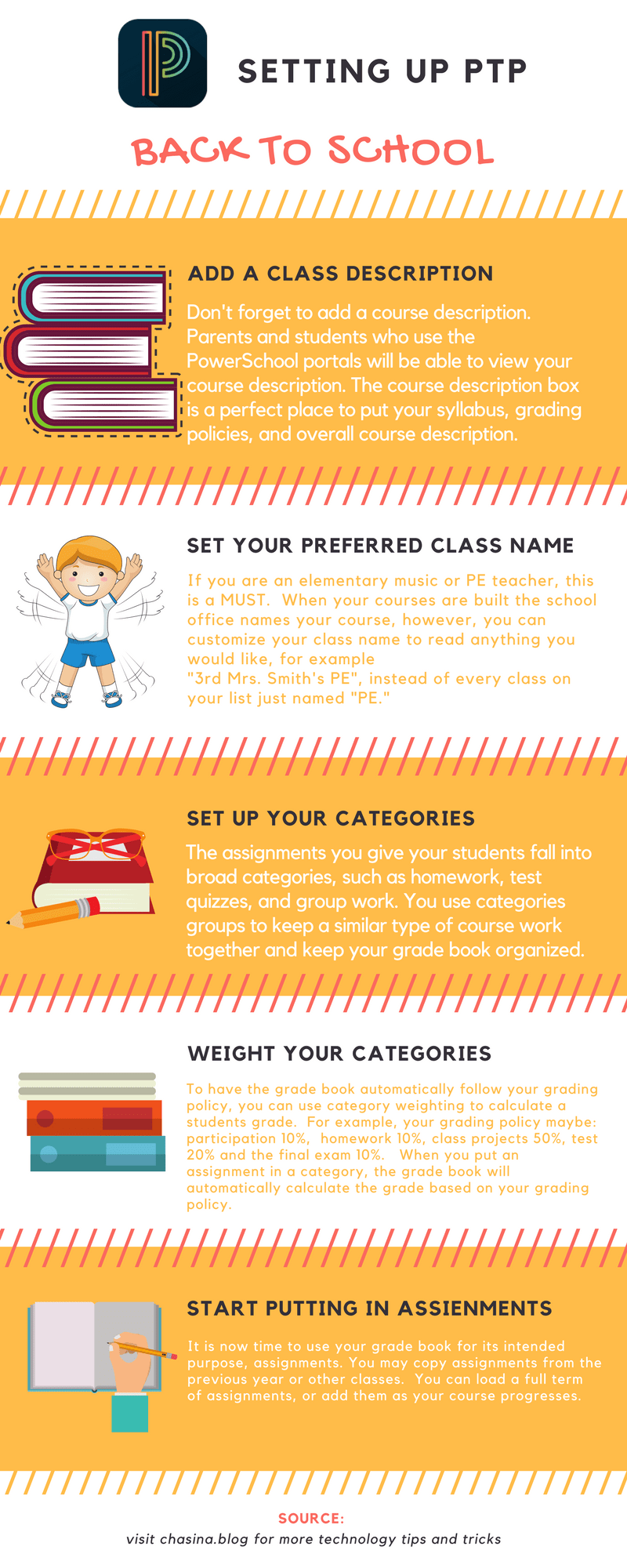
The image below demonstrates the easy steps to get your set up for the start of school. This is the first step to ensuring you are getting the most out of your grade book in the most efficient way possible. After school starts, you can use your grade book to monitor students progress, communicate with parents and students, and adjust instruction and assessment as needed to drive student achievement and growth. Rember if you ever get stuck or have questions to use the help guide or contact your local PowerSchool support person.
References
Daniels, L. (2015, December 03). 8 ways for teachers to save time In the classroom. Retrieved from http://www.teachthought.com/pedagogy/8-ways-teachers-save-time-classroom/
Davis, V. (2015, July 28). Essential habits of an excellent educator. Retrieved from https://www.edutopia.org/blog/essential-habits-excellent-educator
Galan, C. (2013, August 27). Time management: Planning for the adventure. Retrieved from https://www.edutopia.org/blog/time-management-planning-the-adventure-clara-galan
Schrock, K. (2013, May 1). May 2013: Work smarter, not harder. Retrieved from http://blog.discoveryeducation.com/blog/2013/05/01/work-smarter-not-harder/
Video Part 1: Setting up Course Descriptions and Preferred Name
Part 2: Setting up Categories and Category weighting
Part 3: Assignments
 Chasina's Technology Blog